Episodes

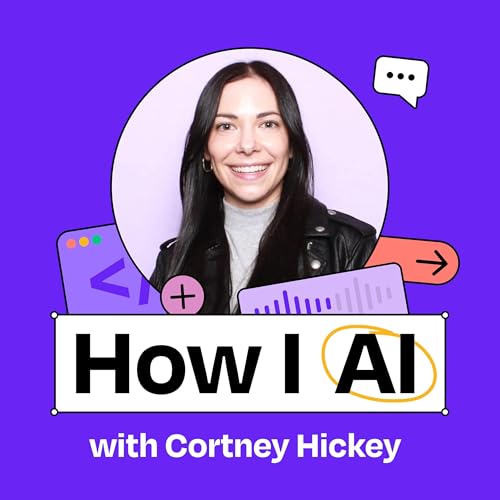
  • How Zapier’s EA built an army of AI interns to automate meeting prep, strengthen team culture, and scale internal alignment | Cortney Hickey
    Dec 15 2025

    Cortney Hickey is the executive assistant to the CEO at Zapier, where she’s leveraging AI to transform traditional EA responsibilities into scalable, organization-wide systems. In this episode, she demonstrates how she’s built AI workflows that automate meeting preparation, reinforce company culture through automated feedback, and democratize strategic knowledge across the organization. Her approach shows how EAs can use AI not to replace their roles but to elevate them—working on higher-impact initiatives while creating systems that benefit the entire company.


    What you’ll learn:

    1. How to build an automated meeting prep system that researches participants, checks CRM data, and delivers actionable insights before important meetings
    2. A framework for creating AI-powered culture reinforcement through automated meeting feedback aligned with company values and operating principles
    3. How to develop an AI-powered document review system that helps teams align with executive expectations before formal reviews
    4. A strategy for creating a centralized knowledge base that makes company strategy accessible and interactive for all employees
    5. Why “progress over perfection” is the key mindset for building effective AI workflows that evolve over time
    6. How EAs can use AI automation to work themselves out of repetitive tasks and into higher-impact strategic roles

    Brought to you by:

    WorkOS—Make your app enterprise-ready today

    Brex—The intelligent finance platform built for founders

    In this episode, we cover:

    (00:00) Introduction to Cortney

    (02:48) Overview of meeting prep automation with Zapier Agents

    (04:43) How the meeting prep agent works

    (10:21) An example of the meeting prep agent in practice

    (12:16) Creating a culture reinforcement system through meeting feedback

    (15:45) EAs’ unique position to leverage these tools

    (18:12) Building an automated meeting coach

    (24:03) Developing an executive document review system

    (33:15) Creating a centralized strategy companion in NotebookLM

    (36:18) How AI is transforming the EA role, not replacing it

    (40:00) Lightning round and final thoughts

    Tools referenced:

    • Zapier: https://zapier.com/

    • Zapier Agents: https://zapier.com/agents

    • Todoist: https://todoist.com/

    • Slack: https://slack.com/

    • HubSpot: https://www.hubspot.com/

    • ChatGPT: https://chat.openai.com/

    • Google NotebookLM: https://notebooklm.google/

    Where to find Cortney Hickey:

    LinkedIn: https://www.linkedin.com/in/cortneyhickey/

    Where to find Claire Vo:

    ChatPRD: https://www.chatprd.ai/

    Website: https://clairevo.com/

    LinkedIn: https://www.linkedin.com/in/clairevo/

    X: https://x.com/clairevo

    Production and marketing by https://penname.co/. For inquiries about sponsoring the podcast, email jordan@penname.co.

    Show More Show Less
    45 mins
  • ChatGPT agent mode: The “little helper” that transformed recruiting, crafted user personas, and solved parking nightmares | Michal Peled (Honeybook)
    Dec 8 2025

    Michal Peled is a Technical Operations Engineer at HoneyBook who specializes in building internal tools and automations that eliminate friction for teams. In this episode, Michal demonstrates three practical AI use cases: using ChatGPT’s agent mode to automate LinkedIn recruiting, transforming customer research into interactive AI personas, and creating a custom calendar solution for a very San Francisco–specific problem—avoiding expensive parking during Giants games.


    What you’ll learn:

    1. How to use ChatGPT agent mode to automate LinkedIn recruiting and find high-quality candidates that manual searches missed
    2. The step-by-step process for turning static customer research into interactive AI personas that product and marketing teams can actually use
    3. Why NotebookLM excels at creating prompts from source material with proper citations
    4. How to structure agent-mode prompts to create effective “little helpers” that follow your exact workflow
    5. A practical framework for improving your prompts when AI tools aren’t giving you the results you want
    6. How internal tools teams can drive massive impact by focusing on eliminating friction in everyday workflows

    Brought to you by:

    Brex—The intelligent finance platform built for founders

    Google Gemini—Your everyday AI assistant

    In this episode, we cover:

    (00:00) Introduction to Michal and ChatGPT agent mode

    (02:10) Using agent mode for LinkedIn recruiting automation

    (05:14) Creating effective prompts for agent mode

    (10:50) Demo of agent mode searching LinkedIn profiles

    (16:29) Results and team reception of the recruiting automation

    (19:53) The outcome of implementing on Michal’s team

    (23:50) Creating custom GPT personas from customer research

    (28:43) Using NotebookLM to transform research into persona prompts

    (35:00) Adding guardrails to custom GPT personas

    (37:20) Demo of interacting with custom-persona GPTs

    (41:02) Creating a calendar automation for parking during baseball games

    (48:15) Lightning round and final thoughts

    Tools referenced:

    • ChatGPT: https://chat.openai.com/

    • NotebookLM: https://notebooklm.google.com/

    • Claude: https://claude.ai/

    Other references:

    • Google Calendar: https://calendar.google.com/

    • HoneyBook: https://www.honeybook.com/

    • LinkedIn: https://www.linkedin.com/

    Where to find Michal Peled:

    LinkedIn: https://www.linkedin.com/in/michalpeled/

    Where to find Claire Vo:

    ChatPRD: https://www.chatprd.ai/

    Website: https://clairevo.com/

    LinkedIn: https://www.linkedin.com/in/clairevo/

    X: https://x.com/clairevo

    Production and marketing by https://penname.co/. For inquiries about sponsoring the podcast, email jordan@penname.co.
    Show More Show Less
    59 mins
  • Gemini 3 vs. Claude Opus 4.5 vs. GPT-5.1 Codex: Which AI model is the best designer?
    Dec 3 2025

    I put three cutting-edge AI models to the test in a head-to-head design competition. Using the exact same prompt, I challenged Google’s Gemini 3, Anthropic’s Opus 4.5, and OpenAI’s Codex 5.1 to redesign my blog page, evaluating them on visual design quality, user experience improvements, and SEO optimization capabilities. One model produced a beautiful, polished, production-ready redesign. One was fine. And one completely whiffed. If you’re trying to figure out where each model fits in your workflow—design, planning, back-end, or something else—this episode will save you a lot of trial and error.


    What you’ll learn:

    1. How each AI model approaches the same design challenge differently
    2. Why planning capabilities dramatically impact design quality
    3. The specific visual and functional improvements each model made
    4. Which model excels at front-end design versus back-end functionality
    5. How to strategically choose the right AI model for different parts of your workflow
    6. The importance of model-switching based on specific use cases

    Blog design: https://www.chatprd.ai/blog

    Brought to you by:

    Lovable—Build apps by simply chatting with AI

    Where to find Claire Vo:

    ChatPRD: https://www.chatprd.ai/

    Website: https://clairevo.com/

    LinkedIn: https://www.linkedin.com/in/clairevo/

    X: https://x.com/clairevo

    In this episode, we cover:

    (00:00) Introduction to the AI design challenge

    (01:25) The question: Which model is the better designer?

    (03:08) The prompt used for all three models

    (04:10) Gemini 3 Pro’s approach and results

    (06:00) Opus 4.5’s approach and results

    (10:54) Codex 5.1’s approach and disappointing results

    (14:51) Comparing the three designs side by side

    (16:03) Analyzing the change logs and SEO improvements from each model

    (22:43) Final verdict

    (23:00) Conclusion and next steps

    Tools referenced:

    • Gemini 3 Pro: https://deepmind.google/models/gemini/pro/

    • Anthropic Opus 4.5: https://www.anthropic.com/news/claude-opus-4-5

    • OpenAI Codex 5.1: https://platform.openai.com/docs/models/gpt-5.1-codex

    • Cursor: https://cursor.com/

    Production and marketing by https://penname.co/. For inquiries about sponsoring the podcast, email jordan@penname.co.

    Show More Show Less
    25 mins
  • “PMs who use AI will replace those who don’t”: Google’s AI product lead on the new PM toolkit | Marily Nika
    Dec 1 2025
    Marily Nika, AI Product Lead at Google and founder of the AI Product Academy, demonstrates how product managers can leverage AI tools to dramatically accelerate their workflow. Using a smart-fridge concept as an example, Marily walks us through the exact workflow she uses to build products faster: doing user research with Reddit debates, generating PRDs with custom GPTs, prototyping with v0, and even creating stakeholder-ready video mockups using VEO and Sora. She shows how “tool hopping” between specialized AI applications creates a powerful workflow that transforms traditional PM processes and enables more compelling product storytelling.What you’ll learn:How to use Perplexity’s “discussions and opinions” filter to mine Reddit for user insights and create pro/con agent debates that reveal product-market fit requirementsA workflow for transforming market research into comprehensive PRDs using custom GPTs that maintain your personal voice and styleTechniques for turning PRDs into interactive prototypes using v0.dev that make your product vision tangible for stakeholdersHow to create persuasive product videos using Flow and Sora that communicate your vision more effectively than traditional presentationsWhy “tool hopping” between specialized AI applications creates a more powerful workflow than using a single toolHow to use NotebookLM as an interactive judge for product demos and pitch competitions—Brought to you by:WorkOS—Make your app enterprise-ready todayMiro—The AI Innovation Workspace where teams discover, plan, and ship breakthrough products—Where to find Marily Nika:LinkedIn: https://www.linkedin.com/in/marilynika/Website: https://www.marilynika.me/Substack: https://marily.substack.com/AI Product Management Bootcamp & Certification by AI Product Academy: https://bit.ly/4p8tn2r—Where to find Claire Vo:ChatPRD: https://www.chatprd.ai/Website: https://clairevo.com/LinkedIn: https://www.linkedin.com/in/clairevo/X: https://x.com/clairevo—In this episode, we cover:(00:00) Introduction to Marily Nika(02:54) Smart-fridge use case inspiration(06:15) Using Perplexity to mine Reddit for user research(11:19) Creating a comprehensive PRD with ChatGPT(13:40) Building an interactive prototype with v0(16:20) Using prototypes as stakeholder influence tools in product reviews(21:30) Generating product videos with Flow and Sora(30:17) The complete 20-minute product workflow, from research to video(32:06) Using NotebookLM as an AI judge for product demo days(37:38) What to do when AI tools aren’t giving you what you want—Tools referenced:• Perplexity: https://www.perplexity.ai/• ChatGPT: https://chat.openai.com/• v0.dev: https://v0.dev/• Flow (Google Labs): https://labs.google/flow/about• Sora: https://openai.com/sora• NotebookLM: https://notebooklm.google/—Other references:• AI Product Management Bootcamp: https://maven.com/lenny/ai-product-management• Lenny’s List on Maven: https://maven.com/lenny—Production and marketing by https://penname.co/. For inquiries about sponsoring the podcast, email jordan@penname.co.
    Show More Show Less
    40 mins
  • How to create your own AI performance coach: Optimizing your unique nutrition, recovery, and injury management needs | Lucas Werthein (Cactus)
    Nov 24 2025

    Lucas Werthein, the COO and co-founder of Cactus, shares how he built a personalized AI wellness coach using ChatGPT to optimize his athletic performance while managing past injuries. After multiple surgeries on his knees, shoulder, and foot, Lucas created a system that synthesizes data from medical imaging, blood tests, wearable devices, and nutrition plans to provide personalized recommendations. His AI coach helps him balance competitive tennis, weightlifting, and running a company while maintaining his goal of “feeling 25 in a 40-year-old body.” Lucas demonstrates how this approach transforms siloed health information into actionable insights that protect joints, optimize recovery, and extend peak performance.


    What you’ll learn:

    1. How to configure a ChatGPT with multiple data types, including MRIs, x-rays, blood tests, and wearable metrics, to create a comprehensive health profile
    2. A framework for setting clear performance boundaries that prioritize joint protection, energy optimization, and injury prevention
    3. Techniques for using AI to balance nutrition around special events like social dinners while maintaining performance goals
    4. How to use images and videos to get AI feedback on physical symptoms and injury recovery timelines
    5. A method for validating and contextualizing medical advice by having AI synthesize information from multiple health-care providers
    6. Why creating clear rules and anti-prompts helps AI deliver practical, evidence-based recommendations instead of trendy supplements or extreme protocols

    Copy Lucas’s Health Coach Prompt: https://www.lennysnewsletter.com/p/how-to-create-your-own-ai-performance-coach

    Brought to you by:

    WorkOS—Make your app enterprise-ready today

    Google Gemini—Your everyday AI assistant

    Where to find Lucas Werthein:

    Website: https://cactus.is/

    Where to find Claire Vo:

    ChatPRD: https://www.chatprd.ai/

    Website: https://clairevo.com/

    LinkedIn: https://www.linkedin.com/in/clairevo/

    X: https://x.com/clairevo

    In this episode, we cover:

    (00:00) Introduction to Lucas’s athletic background and injury history

    (04:55) The challenge of synthesizing siloed health data

    (06:11) Building a GPT to optimize performance and recovery

    (09:57) Demonstrating the data types integrated into the AI coach

    (13:54) Configuring the GPT with clear performance goals and boundaries

    (16:31) Setting realistic expectations for the AI coach

    (17:50) Creating nutrition, training, and recovery frameworks

    (21:47) Establishing hard boundaries and anti-prompts

    (24:25) Example: Managing nutrition around special events

    (27:30) Accessibility and affordability of on-demand coaching

    (28:24) Practical examples and real-life scenarios

    (29:31) Using AI for injury management and recovery planning

    (34:19) Validating expert opinions and translating medical advice

    (37:25) Vision for the future of AI in personal health coaching

    (43:27) Other AI workflows: synthetic clients and AI co-founders

    (48:48) Final thoughts on AI reliability and evolution

    Tool referenced:

    • ChatGPT: https://chat.openai.com/

    Other references:

    • InBody scan: https://inbodyusa.com/

    • Whoop: https://www.whoop.com/

    Production and marketing by https://penname.co/. For inquiries about sponsoring the podcast, email jordan@penname.co.

    Show More Show Less
    52 mins
  • “Farm-to-table software”: How I built a Thanksgiving party hub using Lovable for managing invites, dishes, shared recipes, and photos
    Nov 19 2025

    In today’s pre-Thanksgiving episode, I walk you through how I vibe coded my very own “Thanksgiving party hub” using Lovable—and how I transformed it from AI-generated slop into something warm, personal, and genuinely useful. I show you exactly how I upleveled the typography, visuals, and structure using Google Fonts and Midjourney style references, and then I share one of my favorite real-life AI hacks: how to turn any messy online recipe into a clean, step-by-step, kid-friendly version that’s actually usable while you’re cooking. This is a cozy, practical walkthrough of my real design process—the little tricks I use to make AI-built apps feel handcrafted instead of generic.


    What you’ll learn:

    1. How to build a fully functional Thanksgiving party hub in Lovable—guests, dishes, recipes, and photos
    2. How I uplevel AI-generated designs using Google Fonts and Tailwind
    3. How to use Midjourney style references to create custom images that match your aesthetic
    4. How to add custom features to vibe-coded apps, like dietary preferences and allergen tags
    5. How to iterate on layouts inside Lovable using screenshots and small, targeted prompts
    6. How I use ChatGPT to restructure recipes so the measurements are embedded directly in each step
    7. How to make recipes kid-friendly and easier to follow using a simple formatting prompt

    Brought to you by:

    WorkOS—Make your app enterprise-ready today

    Where to find Claire Vo:

    ChatPRD: https://www.chatprd.ai/

    Website: https://clairevo.com/

    LinkedIn: https://www.linkedin.com/in/clairevo/

    X: https://x.com/clairevo

    In this episode, we cover:

    (00:00) Introduction to the Thanksgiving party hub concept

    (02:20) Starting a project in Lovable and initial design assessment

    (04:59) Upleveling typography with Google Font combinations

    (08:36) Creating custom header images with Midjourney

    (11:39) Adjusting aspect ratios for Midjourney images

    (14:22) Fixing design issues incrementally

    (18:52) Adding dietary-restriction functionality

    (23:36) AI recipe reformatting for easier cooking

    (26:02) Thoughts on ChatGPT 5.1

    (30:51) Final implementation and recipe sharing

    Tools referenced:

    • Lovable: https://lovable.dev/

    • Midjourney: https://www.midjourney.com/

    • Google Fonts: https://fonts.google.com/

    • ChatGPT: https://chat.openai.com/

    • Canva Font Combinations: https://www.canva.com/font-combinations/

    Other references:

    • Polenta and Sausage Stuffing Recipe: https://www.epicurious.com/recipes/food/views/polenta-and-sausage-stuffing-233030

    • Runaway Pancakes (kid-friendly recipe site): https://runawaypancakes.com/

    Production and marketing by https://penname.co/. For inquiries about sponsoring the podcast, email jordan@penname.co.

    Show More Show Less
    34 mins
  • “Nobody wanted to do this work”: How Emmy Award–winning filmmakers use AI to automate the tedious parts of documentaries
    Nov 17 2025
    Tim McAleer is a producer at Ken Burns’s Florentine Films who is responsible for the technology and processes that power their documentary production. Rather than using AI to generate creative content, Tim has built custom AI-powered tools that automate the most tedious parts of documentary filmmaking: organizing and extracting metadata from tens of thousands of archival images, videos, and audio files. In this episode, Tim demonstrates how he’s transformed post-production workflows using AI to make vast archives of historical material actually usable and searchable.What you’ll learn:How Tim built an AI system that automatically extracts and embeds metadata into archival images and footageThe custom iOS app he created that transforms chaotic archival research into structured, searchable dataHow AI-powered OCR is making previously illegible historical documents accessibleWhy Tim uses different AI models for different tasks (Claude for coding, OpenAI for images, Whisper for audio)How vector embeddings enable semantic search across massive documentary archivesA practical approach to building custom AI tools that solve specific workflow problemsWhy AI is most valuable for automating tedious tasks rather than replacing creative work—Brought to you by:Brex—The intelligent finance platform built for founders—Where to find Tim McAleer:Website: https://timmcaleer.com/LinkedIn: https://www.linkedin.com/in/timmcaleer/—Where to find Claire Vo:ChatPRD: https://www.chatprd.ai/Website: https://clairevo.com/LinkedIn: https://www.linkedin.com/in/clairevo/X: https://x.com/clairevo—In this episode, we cover:(00:00) Introduction to Tim McAleer(02:23) The scale of media management in documentary filmmaking(04:16) Building a database system for archival assets(06:02) Early experiments with AI image description(08:59) Adding metadata extraction to improve accuracy(12:54) Scaling from single scripts to a complete REST API(15:16) Processing video with frame sampling and audio transcription(19:10) Implementing vector embeddings for semantic search(21:22) How AI frees up researchers to focus on content discovery(24:21) Demo of “Flip Flop” iOS app for field research(29:33) How structured file naming improves workflow efficiency(32:20) “OCR Party” app for processing historical documents(34:56) The versatility of different app form factors for specific workflows(40:34) Learning approach and parallels with creative software(42:00) Perspectives on AI in the film industry(44:05) Prompting techniques and troubleshooting AI workflows—Tools referenced:• Claude: https://claude.ai/• ChatGPT: https://chat.openai.com/• OpenAI Vision API: https://platform.openai.com/docs/guides/vision• Whisper: https://github.com/openai/whisper• Cursor: https://cursor.sh/• Superwhisper: https://superwhisper.com/• CLIP: https://github.com/openai/CLIP• Gemini: https://deepmind.google/technologies/gemini/—Other references:• Florentine Films: https://www.florentinefilms.com/• Ken Burns: https://www.pbs.org/kenburns/• Muhammad Ali documentary: https://www.pbs.org/kenburns/muhammad-ali/• The American Revolution series: https://www.pbs.org/kenburns/the-american-revolution/• Archival Producers Alliance: https://www.archivalproducersalliance.com/genai-guidelines• Exif metadata standard: https://en.wikipedia.org/wiki/Exif• Library of Congress: https://www.loc.gov/—Production and marketing by https://penname.co/. For inquiries about sponsoring the podcast, email jordan@penname.co.
    Show More Show Less
    48 mins
  • How this CEO turned 25,000 hours of sales calls into a self-learning go-to-market engine | Matt Britton (Suzy)
    Nov 10 2025
    Matt Britton is the founder and CEO of Suzy, a consumer insights platform that has raised over $100 million in venture capital and works with top brands like Coca-Cola, Google, Procter & Gamble, and Nike. Matt is also the bestselling author of YouthNation, a blueprint for understanding the seismic shifts shaping our future economy, and Generation AI, which explores how Gen Alpha and artificial intelligence will transform business, culture, and society. In this episode, Matt demonstrates how he built a comprehensive AI workflow using Zapier that transforms customer call transcripts into a wealth of actionable intelligence. Despite not being a coder, Matt created a system that automatically generates call summaries, sentiment analysis, coaching feedback, follow-up emails, SEO-optimized blog posts, and more—all from a single customer conversation.What you’ll learn:How to build a trigger-based workflow that automatically scrapes and processes customer call transcripts from platforms like GongA systematic approach to quantifying customer sentiment on a 1-10 scale that has proven highly predictive of churn and upsell opportunitiesHow to create an automated coaching system that provides personalized feedback to sales reps after every customer interactionA workflow for extracting keywords from customer conversations to inform Google ad campaigns without manual interventionTechniques for automatically generating privacy-compliant blog content from customer calls that drives organic traffic and paid search performanceWhy CEOs and executives need to build AI skills firsthand rather than delegating implementation to engineering teamsHow to use Google Sheets as structured databases for AI lookups and enrichment within automated workflows—Brought to you by:Brex—The intelligent finance platform built for foundersZapier—The most connected AI orchestration platform—Where to find Matt Britton:LinkedIn: linkedin.com/in/mattbbrittonInstagram: https://www.instagram.com/mattbrittonnyc/Company: https://www.suzy.com/—Where to find Claire Vo:ChatPRD: https://www.chatprd.ai/Website: https://clairevo.com/LinkedIn: https://www.linkedin.com/in/clairevo/X: https://x.com/clairevo—In this episode, we cover:(00:00) Introduction to Matt Britton(02:36) Why Zapier became the backbone of Matt’s AI automations(04:17) Identifying your core business problem(09:02) How Matt built the initial trigger automation with Browse AI(13:42) The value of CEOs getting hands-on with building(14:00) Scraping and processing call transcripts(20:14) Using LLMs to generate call summaries and sentiment scores(23:25) Creating a Slack channel for real-time call insights(26:17) Extracting keywords for Google Ads campaigns(28:35) Building an AI coach for sales and customer success teams(29:48) Creating a follow-up email writer for post-call communication(35:25) Generating redacted blog content from customer conversations(37:51) How this approach changes team building and hiring priorities(40:19) Matt’s prompting techniques and final thoughts—Tools referenced:• Zapier: https://zapier.com/• Gong: https://www.gong.io/• Browse AI: https://www.browse.ai/• ChatGPT: https://chat.openai.com/—Other references:• Qualtrics: https://www.qualtrics.com/• SurveyMonkey: https://www.surveymonkey.com/• Slack: https://slack.com/• Google Sheets: https://www.google.com/sheets/about/—Production and marketing by https://penname.co/. For inquiries about sponsoring the podcast, email jordan@penname.co.
    Show More Show Less
    43 mins