Read the full article: Inside Devin’s Workflow: Tool Use, Planning, and Autonomy
Discover more at AI Builds It: Easy Coding Tools
Excerpt:
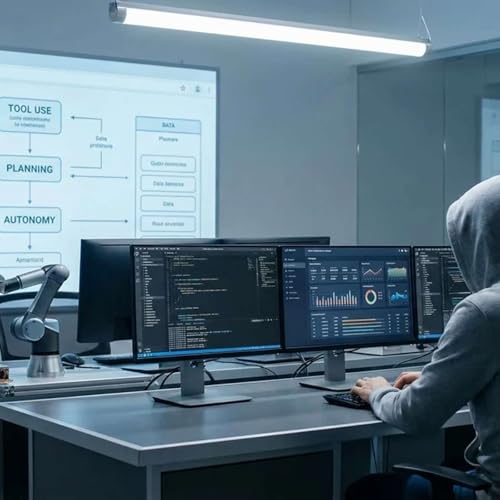
Introduction Devin (from Cognition AI) is a new autonomous AI software engineer that can plan software development tasks and carry them out largely on its own. It works end-to-end on code projects, using tools like a code editor, a command-line shell, and a web browser to research, write, test, and deploy code. In demos and press, Devin has been shown scanning a codebase, generating a plan, editing files, running tests, and making pull requests with surprisingly little human input (medium.com) (www.linkedin.com). Cognition claims Devin can handle “complex engineering tasks requiring thousands of decisions,” recalling context at each step and even learning from mistakes (medium.com) (www.linkedin.com). We therefore explore the public details of Devin’s design and workflow. This includes how Devin breaks down tasks (its planning process), how it literally works in a developer environment (editor, terminal, browser), how it keeps memory or context across a coding session, how it self-corrects and iterates, and what guardrails or safety measures it uses. We also note what is not revealed – for example the exact model internals are undisclosed, so some community discussion relies on educated guesswork.
Task Planning and Decomposition When a developer gives Devin a new assignment, the first step is planning what files to change and in what order. Cognition’s notes explain that Devin uses a “planning mode” sub-agent whose job is to figure out which files in the repository are relevant to the task (medium.com) (docs.devin.ai). In practice, Devin “investigates” the repo and proposes a plan before writing any code (docs.devin.ai) (docs.devin.ai). For complex tasks, developers see this plan and can approve or adjust it; if the Agency mode is enabled, Devin will automatically proceed with its plan without waiting for approval (docs.devin.ai) (docs.devin.ai).
... Continue reading


 44 mins
 27 mins
 1 hr
1 hr 32 mins
 15 mins
 20 mins
 16 mins
 18 mins